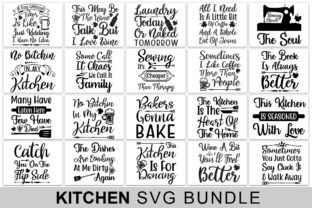
The Kitchen Bundle: A Practical Resource for Content Creators and Food Professionals
If you create content around food, whether for a blog, social media, a cookbook, or a cooking class, you quickly discover that putting together high-quality recipes, photos, and instructional materials takes more than just good cooking skills. The behind-the-scenes work—standardizing measurements, formatting instructions, sourcing consistent imagery, and organizing everything into a usable system—can be overwhelming. That is where the Kitchen Bundle enters the picture. It is not a single tool or app, but rather a thoughtfully assembled collection of resources designed to streamline how you produce, present, and share kitchen-related content.
What the Kitchen Bundle Actually Contains
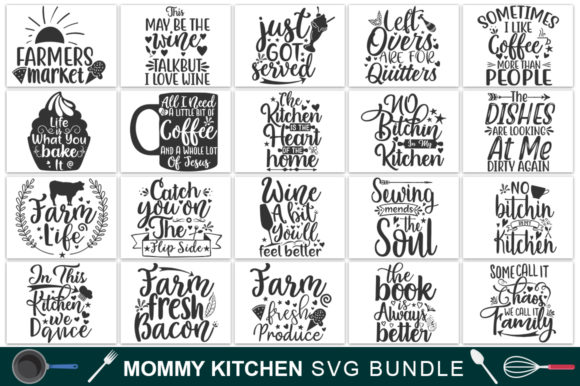
The Kitchen Bundle typically refers to a curated set of digital assets aimed at anyone who regularly works with recipes, food photography, or cooking education. Think of it as a starter kit that eliminates the need to build every element from scratch. Depending on the specific bundle, you might find recipe card templates, editable ingredient lists, photo overlays, social media graphics, meal planning sheets, nutrition label generators, and even style guides for consistent branding. Some bundles also include video intro templates or audio clips for cooking tutorials. The common thread is that everything revolves around kitchen and food content, packaged so you can jump straight into production rather than spend hours designing individual components.
What makes the Kitchen Bundle useful is its focus on real-world application. Instead of offering abstract design principles, it gives you files you can open, edit, and use immediately. For a food blogger, that means exporting a recipe card that matches your site's aesthetic without touching Photoshop. For a meal prep service, it means generating weekly menus with consistent formatting. The bundle essentially removes the friction between having an idea and publishing it.
Modular and Adaptable Design
Most Kitchen Bundles are built with modularity in mind. You get separate files for different purposes—recipe headers, ingredient checklists, step-by-step instruction blocks, and nutritional breakdowns—so you can mix and match as needed. This modular approach means you are not locked into a single layout. If you want a minimalist card for Instagram and a detailed version for your website, you can pull from the same bundle and adjust the components. The adaptability extends to software compatibility as well. Many bundles provide files for Canva, Adobe InDesign, Microsoft Word, or Google Docs, which means you can work with tools you already know.
Consistency Without Repetition
One of the biggest challenges in food content is maintaining a cohesive look across different platforms. A recipe that looks great on your blog might feel disconnected on Pinterest or in an email newsletter. The Kitchen Bundle addresses this by providing style guides, color palettes, and font pairings that carry through every asset. Once you set your branding in the bundle, every recipe card, social post, or handout you create will share that visual language. This kind of consistency builds trust with your audience and makes your content instantly recognizable.
Time-Saving Templates
Perhaps the most immediate benefit is the reduction in repetitive work. Instead of formatting each recipe manually, you fill in a template. Instead of designing a new graphic for every seasonal promotion, you swap out the image and text. Over the course of a month, those saved minutes add up to hours. For freelancers and small business owners, that reclaimed time can go toward recipe development, client work, or simply taking a break.
For Food Bloggers and Digital Publishers
If you run a food blog, you know that publishing a single post involves writing the recipe, shooting photos, formatting the card, creating a Pinterest pin, and often making an Instagram story. The Kitchen Bundle gives you templates for each of those outputs. You can develop one recipe and repurpose it across multiple channels without redesigning the layout each time. Many bloggers also appreciate the built-in SEO fields in some bundles, which help keep recipe titles, descriptions, and metadata consistent and optimized.
Example: A blogger publishing a weeknight pasta recipe uses the bundle's recipe card template for the post, the Instagram story template for a quick video demo, and the printable PDF version for newsletter subscribers. All three share the same fonts, colors, and structure, so the audience sees a unified brand across touchpoints.
For Cooking Educators and Culinary Instructors
Teaching cooking, whether in person or online, requires clear instructions that participants can follow at their own pace. The Kitchen Bundle helps educators create handouts, ingredient lists, and step-by-step guides that are easy to read and visually appealing. Instead of distributing photocopied pages with cramped text, you can provide beautifully formatted recipe sheets that students actually want to keep.
Use case: A culinary instructor running a virtual baking class uses the bundle to produce a prep list sent three days before the class, a live recipe guide for the session, and a follow-up PDF with tips and variations. The consistent formatting helps students quickly locate key information, which reduces confusion during the class.
For Meal Prep Services and Commercial Kitchens
Businesses that provide meal plans or ready-to-cook kits often need to generate clear, repeatable instructions for customers. The Kitchen Bundle's templates can standardize everything from ingredient labeling to cooking instructions. This is especially valuable if you have multiple staff members creating content, because the templates enforce a uniform structure. Customers appreciate knowing exactly what to expect, and the brand benefits from a professional appearance.
Observation: A small meal prep startup using the bundle reported that their customer questions about preparation steps dropped noticeably after they switched to a standardized recipe card format. The clarity of the instructions reduced support emails and increased repeat orders.
For Social Media Managers and Digital Marketers
In the fast-paced world of food marketing, you often need to produce multiple assets in a single day. The Kitchen Bundle's social media templates allow you to create on-brand posts in minutes. Whether you are promoting a seasonal recipe, highlighting a customer review, or sharing a cooking tip, you have a template ready to go. This speed is crucial when you are managing accounts for a restaurant, a food brand, or a lifestyle influencer.
Recommendation: When selecting a bundle, look for one that includes dimensions specifically for Instagram (square, portrait, and story), Pinterest (vertical), and Facebook (landscape). Having these sizes pre-set saves you from manually cropping and resizing every asset.
For Cookbook Authors and Self-Publishers
Self-publishing a cookbook involves enormous attention to detail. The Kitchen Bundle can serve as a foundational layout system for your recipes, introduction pages, and index. While you will still need to adapt the templates to your specific book format, starting with a consistent structure reduces the risk of formatting errors. Some bundles even include print-ready templates with bleeds and margins already set, which simplifies the export process for print-on-demand services.
Potential Benefits for Usability, Efficiency, and Branding
The most immediate benefit of using a Kitchen Bundle is the improvement in efficiency. You stop reinventing the wheel with every new recipe or post. Instead, you develop a workflow where the creative energy goes into the content itself rather than the formatting. Over time, this efficiency translates into a higher publishing cadence without sacrificing quality.
Usability improves for your audience as well. When every recipe card follows the same structure, readers know exactly where to find the ingredient list, the cook time, and the instructions. This predictability makes your content easier to follow and reduces errors in the kitchen. For people cooking under time pressure, a well-designed card can be the difference between a successful meal and a frustrating experience.
Branding becomes more consistent and professional. A unified visual identity across your website, social media, and print materials signals reliability and attention to detail. Over time, that consistency builds recognition. When someone sees a recipe card with your signature layout, they immediately associate it with the quality of your previous content.
Communication is also enhanced. Clear typography, logical grouping of information, and thoughtful use of space make your instructions more accessible. This is especially important if your audience includes cooks with varying skill levels. A well-structured recipe card can guide a beginner through a complex technique without overwhelming them.
Practical Considerations When Choosing or Using a Kitchen Bundle
Not all Kitchen Bundles are created equal, so consider a few factors before committing to one. First, check the software compatibility. If you primarily use Canva, make sure the bundle offers Canva templates. If you work in Adobe Creative Suite, look for InDesign or Illustrator files. Using a bundle that matches your existing tools will save you from a steep learning curve.
Second, evaluate the customization options. A good bundle allows you to change colors, fonts, and spacing without breaking the layout. Avoid bundles that rely heavily on locked elements or require advanced design skills to modify. The whole point is to make your life easier, not to add another layer of complexity.
Third, consider the intended use. Some bundles are geared toward digital content, while others include print-ready files. If you plan to produce both, look for a bundle that covers both formats. Also, check whether the bundle includes guidelines for commercial use if you are using it for client work or a business.
Finally, think about future-proofing. A bundle that includes a variety of file formats and regular updates will serve you longer than one tied to a specific software version. Bundles that offer editable source files (such as .psd or .ait) give you more control when software updates occur.
Final Observations and Recommendations
The Kitchen Bundle is not a magic solution that will create content for you, but it is a practical tool that removes many of the repetitive tasks that slow down content production. For anyone who regularly produces food-related content—whether you are a blogger, educator, marketer, or business owner—it addresses the gap between having good recipes and presenting them effectively. The key is to choose a bundle that fits your specific workflow and to actually use it consistently. Start small, perhaps by replacing your most-used recipe card or social media graphic with the template, and build from there. Over time, the bundle becomes a natural part of your process, not an extra step.
If you have been spending more time formatting than cooking or writing, a well-chosen Kitchen Bundle can help you shift that balance back toward the work that matters most.